Highlights
Mark passages as you read
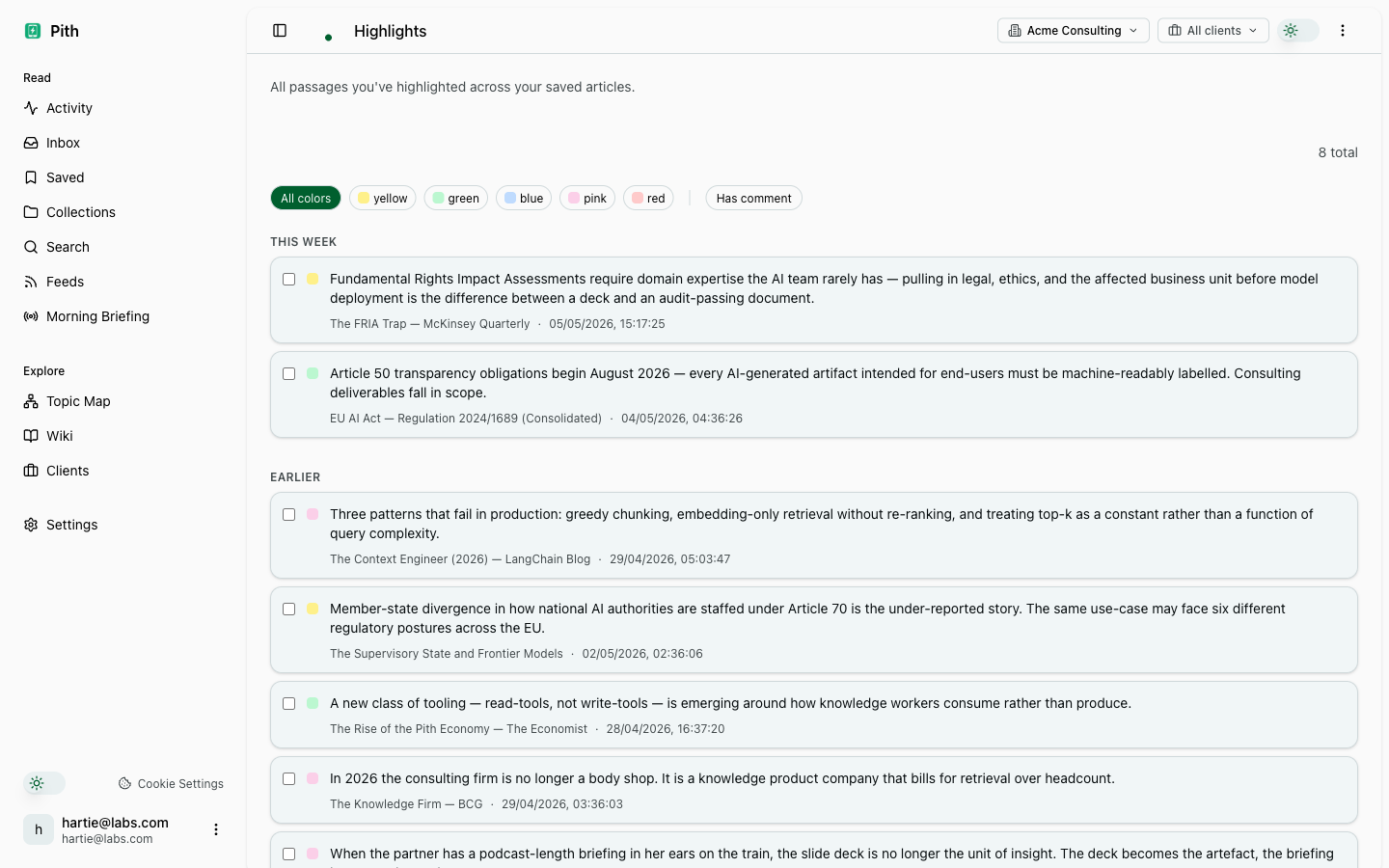
Select text in any saved bookmark and press a key — the passage becomes a first-class object: searchable, citeable, re-surfaceable in catch-up. Briefings prefer highlighted passages over raw bookmark text.
In short
Highlight passages as you read; in Pith highlights are searchable, citable, and resurface — not buried annotations.
In the app: /highlights
What it gives you
Passages, not just URLs
Highlights store the exact text you cared about — so a year later you re-find the sentence, not just the article.
Resurface what you marked
Catch-up's Resurface section re-surfaces old highlights that match a recent topic — you re-encounter your own thinking at exactly the right moment.
Powers your briefings
When a briefing generates, highlights are the first-class input. The briefing reads what you marked, not what you skimmed.
How it works
- 1
Open a saved bookmark.
- 2
Select any text and press the highlight key (or use the right-click menu).
- 3
The passage appears in /highlights immediately, and feeds into your next briefing.
Other make sense features
FAQ
What makes a highlight a 'first-class object' in Pith?
Highlights are searchable, citable, and resurfaced in catch-up and briefings — not just inline annotations locked to one document.
Do highlights feed the wiki?
Yes. Highlighted passages are the strongest signal for what a wiki concept page should emphasise, and each citation links back to the exact highlight.
Can I add a note to a highlight?
Yes — each highlight carries an optional markdown comment that travels with it into search and briefings.
Try it for yourself.
Saving is free. No credit card. Highlights is included — you pay only per deliverable.
Start free