Decay-from-Notion query — readers wanting out
People leave Notion for KM when their workspace turns into a graveyard of half-finished pages nobody maintains — the more you read, the more authoring debt piles up. This list is ordered by how each tool actually keeps knowledge alive: Pith comes first because it removes the authoring step entirely (your reading becomes the wiki), followed by six fair alternatives that each win on a different axis — local-first notes, team docs, networked thinking, or flexible databases. Pick the one whose maintenance model you'll actually sustain.
- 1
Pith
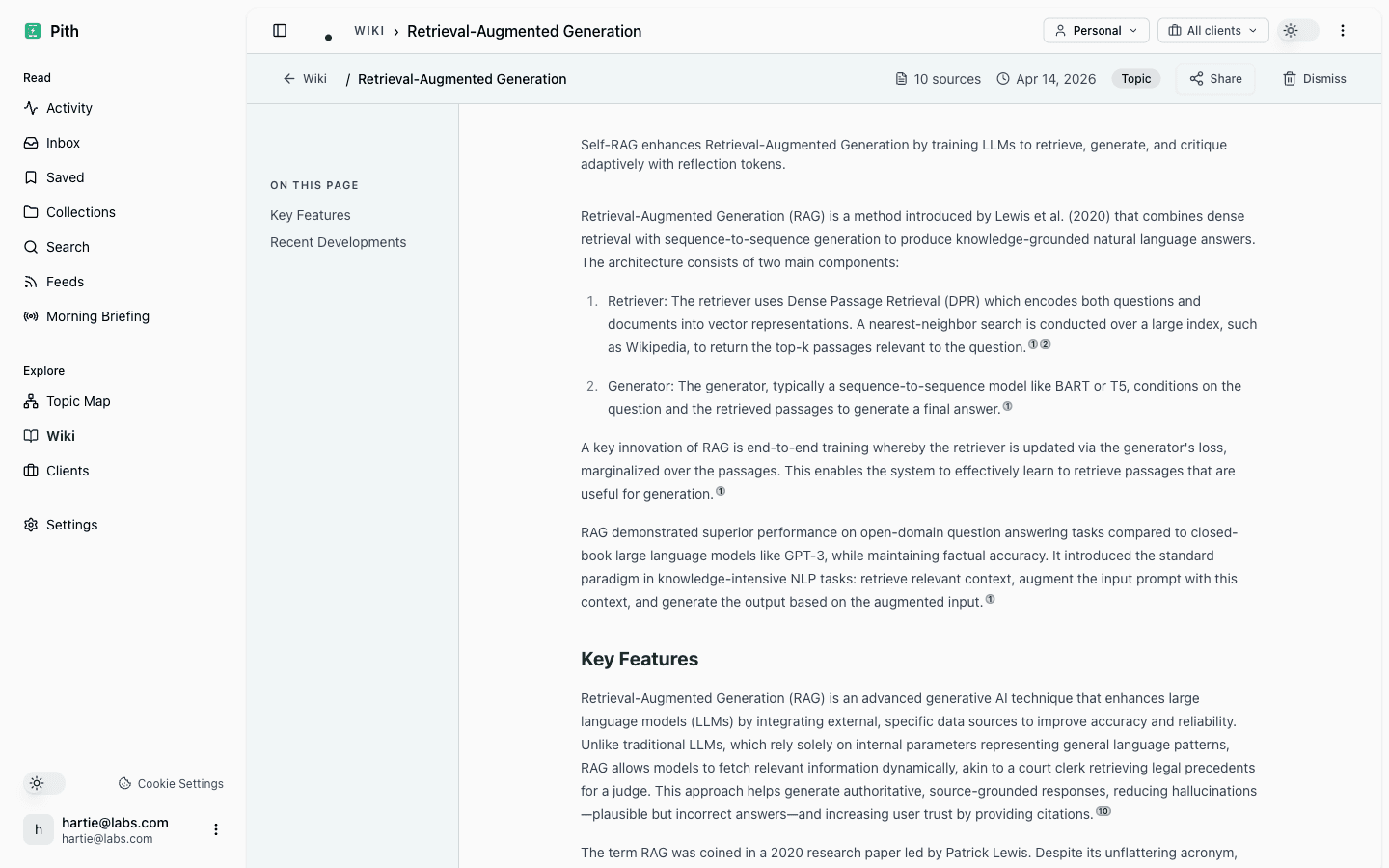
Visit sitePith inverts the Notion model: instead of you authoring pages, it builds a cited wiki automatically from what you bookmark and read, with per-client briefings and an MCP server so agents can query your knowledge. Data is hosted in Frankfurt.
Good for: Consultants, analysts, and researchers who read a lot and want a maintained, source-linked knowledge base without manually writing or updating pages.
It's not a free-form doc editor — if you want to hand-author and structure pages yourself, this is the opposite of what Pith does. Newer product, DACH-focused, smaller ecosystem than Notion.
- 2
Obsidian
Visit siteA local-first Markdown knowledge base where your notes are plain files you own, linked into a graph. Huge plugin ecosystem lets you bend it into almost any KM workflow.
Good for: People who want full ownership of their data, offline access, and deep customization for personal or single-user knowledge work.
Real-time collaboration and sync are paid add-ons or DIY, and the plugin-heavy setup can become its own maintenance project.
- 3
Confluence
Visit siteAtlassian's mature team wiki, built for company documentation, runbooks, and process knowledge, with strong permissions and tight Jira integration.
Good for: Engineering and operations teams that need governed, searchable internal docs at organizational scale.
Heavy and enterprise-flavored for individuals or small teams; the editor and search feel dated, and it gets pricey per seat.
- 4
Coda
Visit siteA docs-meets-databases tool like Notion but with stronger formula and automation logic, letting a single doc act as an interactive app with tables, buttons, and workflows.
Good for: Teams that want Notion-style flexibility but need real spreadsheet-grade computation and process automation in their docs.
The power comes with a learning curve, and very large or formula-heavy docs can slow down — it's still document-centric, not a true database backend.
- 5
Logseq
Visit siteAn open-source, outliner-based and local-first tool built around daily notes and block references, ideal for bottom-up, networked thinking.
Good for: Note-takers and researchers who think in outlines and want a privacy-friendly, plain-text personal knowledge graph.
The block/outliner paradigm isn't for everyone, the database rewrite has been in flux, and it's primarily single-user.
- 6
Anytype
Visit siteA local-first, end-to-end encrypted Notion-style workspace built on an object model, giving you blocks, relations, and databases without a central server.
Good for: Privacy-conscious users who want Notion's structure but with offline-first storage and encryption they control.
Younger and less polished than Notion, with a smaller template/integration ecosystem and an object model that takes time to learn.
- 7
Capacities
Visit siteAn object-based note-taking app that organizes knowledge around typed objects (people, books, ideas) rather than folders, with a daily note and a clean, structured feel.
Good for: Individuals building a personal knowledge hub who want structure and backlinks without heavy database configuration.
Cloud-based rather than local-first, still maturing, and the typed-object approach can feel rigid if your knowledge doesn't fit neat categories.
Last reviewed: 6 June 2026 · CC BY 4.0 · cite freely with attribution to Pith.